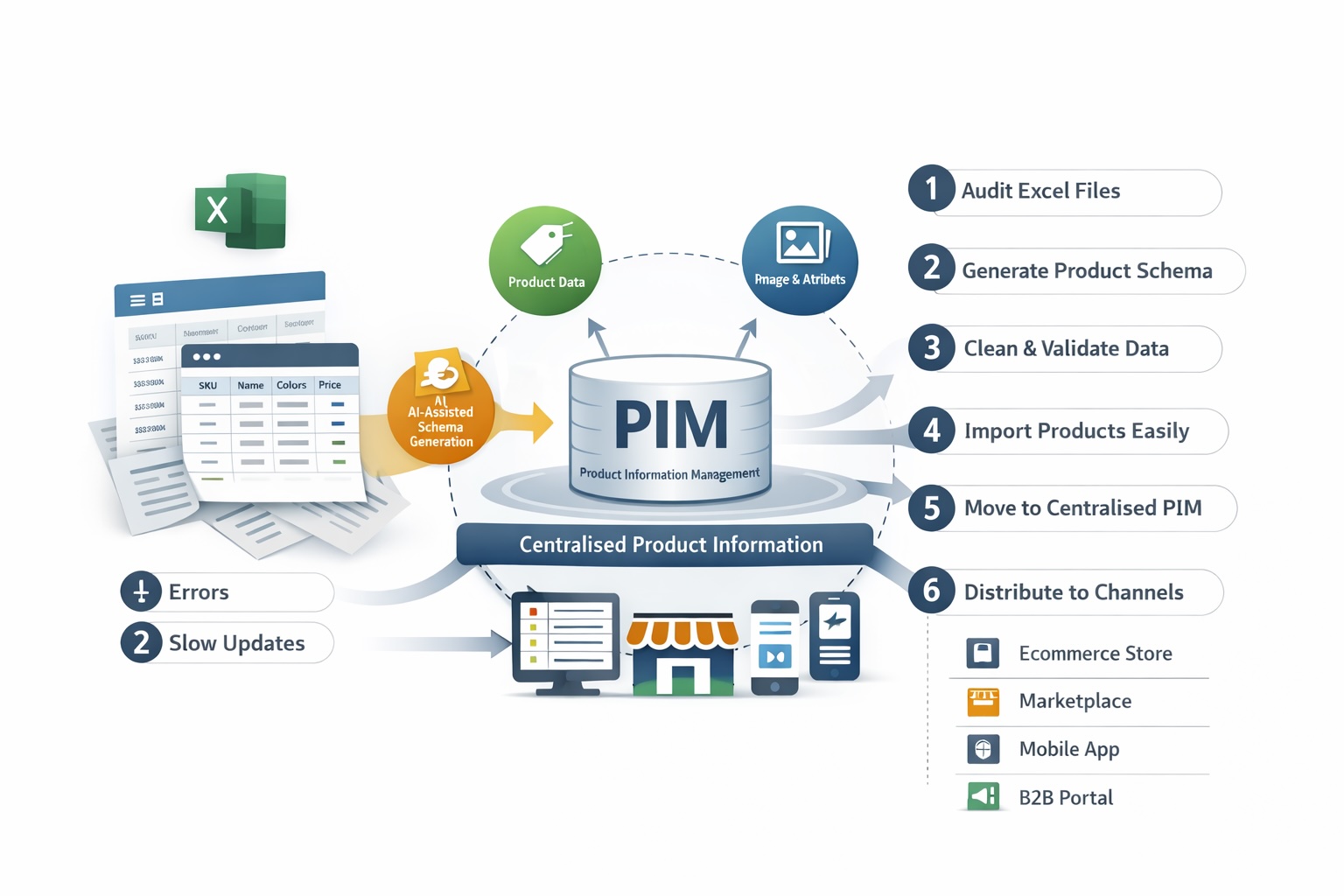
7 Steps to Managing Product Data Professionally
For many ecommerce and B2B businesses, Excel is the first tool used to manage product data. It is familiar, flexible and quick to start with.
However, as product ranges grow, variants increase and sales channels multiply, spreadsheets become a serious limitation rather than a solution.
Moving from Excel to a Product Information Management (PIM) system is a natural and necessary step for businesses that want to scale without losing control.
Why Excel Breaks Down as Product Data Grows
Excel works well for small catalogues, but it struggles with:
Large numbers of SKUs and variants
Inconsistent column structures
Manual data validation
Collaboration between teams
Channel-specific requirements
Frequent updates and re-imports
At scale, spreadsheets introduce errors, slow down operations and make product launches unnecessarily complex.
Step 1: Audit Your Existing Excel Files
Before moving to PIM, understand what you already have.
Review:
How many Excel files are in use
Which columns are mandatory vs optional
Where inconsistencies and duplications occur
How variants and attributes are currently handled
This audit highlights the gaps that a PIM system is designed to solve.
Step 2: Define a Structured Product Data Model
Unlike Excel, a PIM system relies on a clear product schema.
This includes:
Product types
Attributes and data types
Variant logic (size, colour, material, etc.)
Required vs optional fields
Traditionally, defining this structure has been one of the most complex steps in PIM adoption.
Step 3: Use AI to Generate Your Product Schema Automatically
Modern PIM platforms remove much of this complexity.
With AI-assisted schema generation, Excel files can be analysed automatically to:
Detect attributes and data patterns
Identify variants and relationships
Propose a structured product model
Reduce manual configuration effort
This approach dramatically shortens the transition from Excel to a fully structured PIM environment.
Step 4: Clean and Validate Product Data
Once the schema is defined, data quality becomes the focus.
A PIM system enables:
Mandatory attribute enforcement
Format and value validation
Detection of missing or incorrect data
Consistent naming and categorisation
This step alone often leads to immediate improvements in catalogue quality and channel performance.
Step 5: Import Products Without Manual Mapping Headaches
One of the biggest pain points in migration is data import.
With intelligent import tools:
Excel columns are automatically matched to PIM attributes
Data is validated during import
Errors are flagged before publication
Large catalogues can be imported in minutes, not days
This removes the need for repetitive manual mapping and trial-and-error imports.
Step 6: Centralise Product Management
After import, Excel is no longer the working tool.
All product data is now:
Managed in a single system
Accessible to multiple teams
Updated once and reused everywhere
Governed by clear rules and permissions
This is where PIM becomes the single source of truth.
Step 7: Distribute Product Data to Every Channel
With product data structured and centralised, distribution becomes simple.
A PIM system allows you to:
Publish products to ecommerce platforms
Synchronise marketplaces and B2B portals
Maintain channel-specific fields
Update multiple channels simultaneously
Product updates that once took hours or days can now be completed in minutes.
Why Moving from Excel to PIM Is a Strategic Shift
This transition is not just a technical upgrade. It is a shift from manual data handling to scalable product operations.
Businesses that move beyond Excel benefit from:
Faster product launches
Fewer errors and returns
Better collaboration
Improved customer trust
Long-term scalability
Final Thoughts
Excel is a useful starting point, but it was never designed to manage complex, multi-channel product data.
Moving from Excel to PIM, especially with AI-assisted schema creation and automated imports, removes friction and creates a foundation for sustainable growth.
In the next articles, we will explore:
Product data quality and conversion rates
Technical product models such as EAV vs flat
Large catalogue performance strategies